The Email Triage System Professionals Use to Handle 200+ Emails a Day
A five-step email triage system for executives, VPs, and senior ICs handling 200+ emails a day. Concrete buckets, a 30-minute morning routine, and where AI fits without taking the judgment out of your hands.
Inbox Ninja Team
Inbox Ninja
The Email Triage System Professionals Use to Handle 200+ Emails a Day
Two hundred emails is not a number you arrive at by being disorganized. It's the number you arrive at by being senior.
Executives, VPs, founders, partners, senior ICs on small teams — once you sit at the intersection of enough decisions, the inbox stops behaving like a tool and starts behaving like a queue. The Microsoft Work Trend Index pegs the median knowledge worker at 117 emails per day, and the people reading this post are usually somewhere between 1.5x and 3x that. Two hundred is realistic. Three hundred is not unusual.
What ruins the day isn't volume. It's the scan tax — the time spent looking at every envelope before deciding what to do with it. At thirteen seconds per email (sender, subject, first line) and two hundred emails, that's forty-three minutes of pure scanning before a single reply is written.
So the goal of triage isn't to answer faster. It's to make fewer scanning passes. One pass, four piles, then process the piles. That's the whole shape of the system.
The triage taxonomy: four buckets, not nine
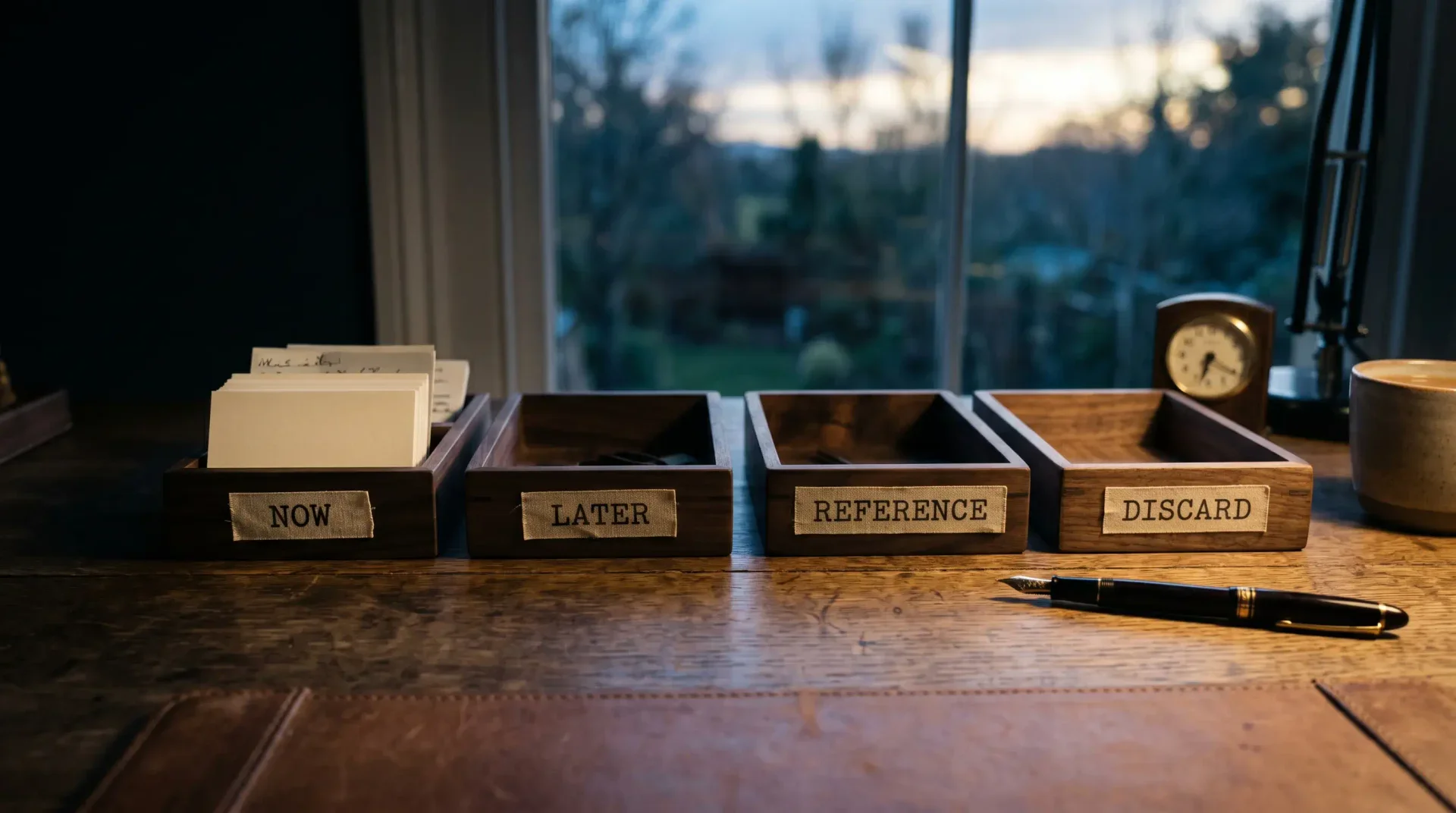
Every email you receive belongs to exactly one of four piles. Not five. Not seven. Four.
- Decide now — the message needs a reply or an action today, and you are the only person who can give it. Your boss, your largest customer, your investor, the person waiting on your decision before they can move.
- Decide later — it's yours to answer, but it isn't urgent today. It can sit until the afternoon block, or tomorrow morning, without breaking anything.
- Reference — you don't need to act on it; you might need to find it later. Receipts, CC threads where you're on the list for context, contracts signed, project updates from teams that aren't yours.
- Discard — newsletters you keep meaning to read, marketing from vendors you evaluated and passed on, automation receipts you'll never look at, alerts you can't turn off.
This isn't the Eisenhower matrix. The Eisenhower matrix is a planning tool — it asks you to weigh urgency against importance for every item in your day. Email triage is faster than that. The four buckets are about what happens to this email, not what it costs you. The decision should take under five seconds per message. If it takes longer, you're triaging the wrong thing.
The work of executives is not in the decide now pile. It's in the decide later pile. Anything that demands a same-day reply is almost always tactical: someone is waiting, the calendar invite needs confirming, the vendor needs the green light. The substantive emails — the ones where you actually think — sit in decide later until you have a focus block to give them. We covered why that focus block matters in The 23-Minute Tax.
The five-step workflow
The triage taxonomy is the what. The workflow is the how — five mechanical steps that move every email into its bucket without you having to think hard about any single one.
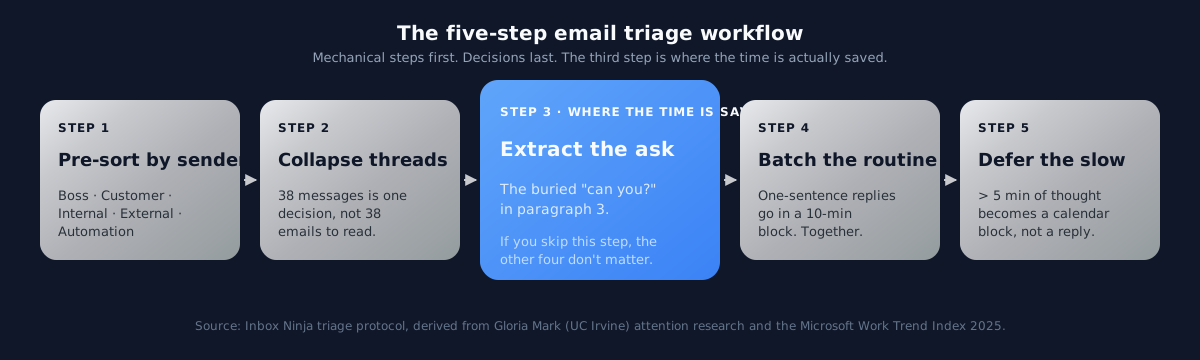
Step 1 — Pre-sort by sender importance
Before you read a single subject line, the inbox is already sorted by who sent it. Group senders into five categories:
- Boss — the people you report to. Replies expected same-day.
- Customer — anyone paying you money, or whose deal is in flight. Replies expected same business day.
- Internal — your team, your peers, your direct reports. Replies expected same-day or next-day, depending on urgency.
- External — partners, vendors, recruiters, journalists, people you don't owe an immediate response to. Replies expected within 48 hours.
- Automation — receipts, notifications, alerts, newsletters, marketing. Replies expected: never.
A modern email client can do most of this for you with rules, filters, and VIP lists. Gmail's Priority Inbox approximates it; Outlook's Focused / Other split approximates it; a dedicated triage assistant nails it. The point isn't the technology — it's that the sort happens before you read.
Step 2 — Collapse threads
A 38-message thread is not 38 emails. It is one decision wearing a long coat.
Treat threads as a single unit. If you have to scroll to read it, summarize it. If you can't summarize it in one sentence, the thread is genuinely complex and belongs in the decide later pile with a calendar block. If you can — and most of the time you can — the thread is one decision, and you handle it once. We wrote about this collapse pattern in Email Thread Summarization with AI.
Step 3 — Extract the ask
This is the step that does the most work. The one where the time is actually saved.
Most professional emails bury the ask. The first paragraph is context. The second paragraph is more context. The actual question — "can you sign off on the revised pricing by Friday?" — is in paragraph three, sometimes paragraph four, sometimes in a postscript. If you read every email linearly, you read three paragraphs to find what would take one sentence.
Train yourself to skim for the verb. Can you, would you, please, by [date], let me know. If you don't find the ask in fifteen seconds, the email is a status update, not a request — it belongs in reference. If you do find it, the ask is what you act on. The rest of the message is supporting evidence you can ignore unless you need it.
Step 4 — Batch the routine
A reply that needs one sentence — "Yes, Tuesday at 2 works" — should not be a separate context switch. Group every one-sentence reply into a ten-minute block, do them in sequence, then close the tab. Twenty replies in ten minutes is normal once you stop treating each one as a separate event.
The trap here is conscientiousness: senior people want every reply to feel considered, so they spread thirty one-sentence replies across thirty different moments in the day. That habit is what burns the morning. Batch them. The recipient does not notice. Nobody is checking your reply timestamps to confirm you thought hard before answering.
Step 5 — Defer the slow
If a reply will take more than five minutes — because it requires research, a real decision, a difficult conversation, or words you actually have to write — it does not get answered during triage.
It goes on the calendar.
This is the step most people skip, and it's the reason their decide later pile keeps growing. Deferred email without a calendar slot is the same as ignored email. The slow replies get a thirty-minute block, in the afternoon, during focused-work time. You answer two or three of them per block. That's enough.
Where AI fits — and where it doesn't
The five steps above are mechanical, which is exactly why they're worth handing to an AI assistant. Mechanical doesn't mean unimportant — it means the work is rule-following, not judgment.
A good AI email assistant handles:
- Pre-sort by sender — better than a manual rule because it learns over time which senders you actually open versus which ones you archive.
- Thread collapse — three bullets, the decision being avoided, the question for you. No more scrolling.
- Ask extraction — surfaces the buried "can you?" so you see it without reading three paragraphs of context.
- Drafting one-sentence replies — the ones that go in your batch block. The assistant writes them in your voice; you approve in one click.
What it does not do is the actual decision in the decide later pile. That's still yours. The thread your investor forwarded with "thoughts?" — the AI can summarize what was said and what was avoided, but the thoughts are yours. The hire-no-hire reply. The vendor renewal. The hard conversation with the underperforming report.
This is the difference between a triage assistant and an autopilot. We laid out the full taxonomy in The Four Levels of AI Email in 2026 — what you want at 200 emails a day is level 3: triage plus drafting plus thread summary, with you keeping every meaningful decision.
Where the day actually goes
If you tracked an executive's email time across the four buckets, you'd expect the chart to lean toward decide now. The mythology of the busy executive is that the urgent stuff swallows the day.
The chart looks different. Most of the time goes to decide later — not because there's so much of it, but because each item in that pile re-enters the inbox three or four times before it gets answered. You look at it Monday morning, decide it's not urgent, look at it Monday afternoon, decide you don't have the energy, look at it Tuesday morning, look at it again Wednesday. Four scans of the same message. Then one reply.
That's the chart you actually want to fix.
The re-read tax is the single biggest leak in a 200-email day. Cutting it in half — by deferring the slow to a calendar block instead of letting them recirculate — is what gives you back the morning.
The 30-minute morning sweep
Concrete routine. Same shape every day.
0–10 minutes — first pass. Open the inbox. Run through every message that arrived overnight. Drop each into one of four buckets. Don't reply yet. Don't read carefully. Just sort. At this pace, two hundred emails take about ten minutes — three seconds per message, which is enough to see the sender, the subject, and the first line.
10–20 minutes — batch the routine. The one-sentence replies, in sequence. Twenty replies in ten minutes is the target. Don't write essays. Don't apologize for the brevity. "Yes, Tuesday." "Approved." "Thanks, will review." "Looping in Sarah." That's the texture.
20–30 minutes — handle the decide now pile. The three or four messages that actually need a real answer today. Write them properly. Take your time. This is the only part of the morning where the email is the work.
If you share an inbox with a team — a customer-support queue, a deal desk, a partner channel — the same five steps still apply, with one extra rule about ownership. We covered the shared-inbox variant in Email Triage for Shared Inboxes.
The decide later pile gets a thirty-minute block in the afternoon. The reference pile gets archived without being read. The discard pile gets archived without being seen.
Thirty minutes in the morning, thirty minutes in the afternoon. That's the entire email budget for a 200-email day. Anything more, and the day is being eaten by the inbox.
What to delete from your habits
The triage system fails for one reason: the habits underneath it haven't changed. Some patterns to retire on the same day you adopt the workflow.
Constant inbox refresh. Checking email every twelve minutes is not responsiveness. It's the 23-minute focus tax cashed in every twelve minutes. Two or three sweeps per day is enough. Fewer if you can stand it.
Replying instantly. Speed of reply is not a measure of seriousness. The instinct to clear every new message the moment it arrives is what creates the re-read tax — you look at the message, can't deal with it now, leave it. Now you'll look at it again later. The replies that matter are the ones that wait their turn in the morning block.
Starring as a system. A star is not a triage. A star is an emoji. Twenty stars in an inbox is twenty things you've labeled interesting without deciding what to do with them. Use a real bucket — a label, a folder, a snooze, a calendar block — but don't treat stars like a queue.
Treating archive as defeat. Archive is the reference bucket. Most senior people refuse to archive until they've answered, which means they answer everything, which means they answer too much. Most email you receive doesn't need a reply. Archive isn't giving up. It's filing.
Apologizing in replies. "Sorry for the slow reply" is a habit that takes ten seconds per email and signals nothing useful. Drop it. The recipient doesn't remember when they sent the message. They remember whether you answered it.
What this looks like when it works
The first day, the inbox is still terrifying. You have two hundred emails, and the system feels like it should already have solved them. It hasn't, because there's no system that fixes two hundred emails on day one — only systems that stop them from becoming four hundred by Friday.
By week two, the decide later pile is shorter, because the slow replies are getting their calendar blocks instead of recirculating. By week four, the morning sweep is ten minutes, not thirty, because most of the messages are pre-sorted by an assistant that's learned your patterns. By week eight, the inbox is the thing you process at 8:30 and don't think about again until 2:30. The mornings are yours.
You're not handling fewer emails. You're handling the same volume in a fraction of the time, because the time was never about the emails. It was about the scanning.
The reader sitting at 200 emails a day is not asking to be relieved of decisions. They're asking to be relieved of the mechanical work that surrounds the decisions. Pre-sorting, thread collapse, ask extraction, batch replies, deferral — all of it. Once that's lifted, what's left is the actual job: the four or five decisions per day that only you can make. That's the part worth your morning.
The rest is triage.
Related Articles
Email Triage System for Shared Inboxes: A Simple Workflow That Actually Works
This email triage system for shared inboxes uses 4 buckets, a 15-minute routine, and clear ownership rules to reduce missed and duplicate replies.
Why Your Inbox Is Broken (And Why Inbox Zero Won't Fix It)
Email was designed in 1971. SMTP was standardized in 1982. The interface you used this morning is architecturally identical to both. Here's why no amount of discipline will fix what's fundamentally a design failure.
The Four Levels of AI Email Help: Why 2026 Is the Year Everything Changes
AI email tools fall into four distinct levels in 2026. Understanding the difference can save you from buying the wrong solution.
Ready to hit inbox zero?
Inbox Ninja triages your email, summarizes threads, and drafts replies in your voice.
Open Inbox Ninja