How to Follow Up on Email Without Being Annoying (and Actually Get a Reply)
A practical follow-up system: timelines, wording, subject lines, and a lightweight tracking method so important threads don’t die in your inbox.
Inbox Ninja Team
Inbox Ninja
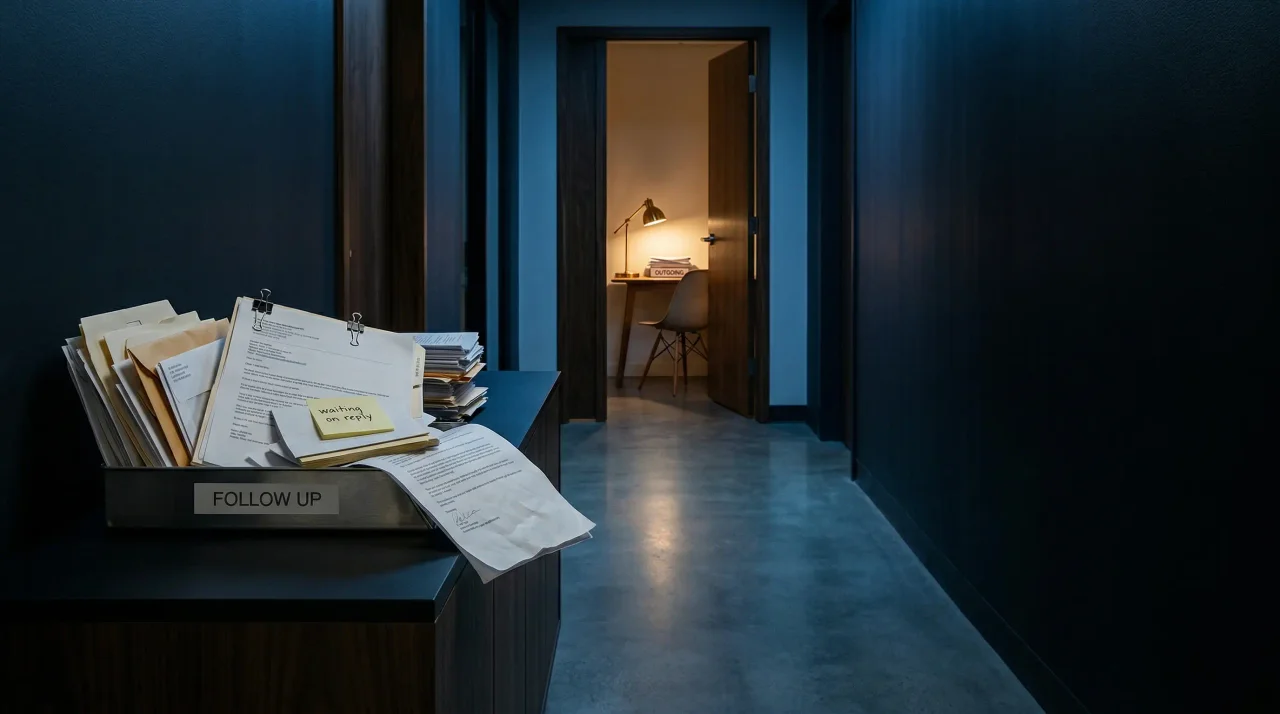
If you need the short version: the best follow-up email is one sent 48–72 hours later that includes a one-sentence recap, a clear ask, and a default option the other person can answer quickly. That is how to follow up on email without being annoying: reduce the work required to reply.
These are practical workflow heuristics, not lab benchmarks. The pattern is simple: better follow-up emails reduce the recipient's thinking load.
You sent the email.
It mattered.
And now it’s three days later and… nothing.
No reply. No acknowledgement. Not even a “got it—will respond later.”
So you do what every competent person does when something is ambiguous: you open your inbox, search the thread, reread your last message, and try to decide if following up will make you look pushy.
That small moment is the real tax of email.
It’s not just “time spent writing emails.” It’s the ongoing cognitive load of unfinished threads—the “waiting on” tasks that float in your head and leak attention all day.
McKinsey has long cited that knowledge workers spend a huge chunk of their week on email (often referenced as ~28% of the workweek). Whether your number is 10% or 40%, the common failure mode isn’t typing; it’s tracking—keeping a mental list of who owes you what.
This post gives you a follow-up system that is:
- Effective (you’ll get more replies)
- Low-drama (you won’t sound annoying)
- Lightweight (no CRM required)
- Honest (it respects the other person’s reality)
And it ends with the simplest upgrade: stop relying on memory, and let an assistant (human or AI) track “awaiting reply” threads for you.
Why people don’t reply (it’s usually not personal)
Before tactics, the most important reframe:
Most non-replies aren’t rejection. They’re queueing failures.
People don’t respond because:
- Your email arrived at a bad time (they were in meetings, on mobile, on a deadline).
- They read it fast and intended to reply later (and then it slipped under new mail).
- Your message required thinking (a decision, a calendar negotiation, an opinion).
- They’re overloaded.
Microsoft’s workplace research in the last couple years has popularized the “infinite workday” framing: work spills earlier and later, and attention is constantly fragmented by messages and notifications. In that environment, “I’ll reply later” is basically a lie people tell themselves.
Your follow-up is not an interruption.
Done well, it’s a service: you’re re-surfacing context at the moment they can act.
The rule that prevents 80% of annoying follow-ups
If you only remember one thing:
Make follow-ups easier to answer than the original email.
Annoying follow-ups are vague:
- “Just following up!”
- “Any thoughts?”
- “Bumping this.”
Those messages force the recipient to:
- reopen the thread
- reread history
- remember what they owe you
- decide what to do
A good follow-up does the opposite. It reduces work.
It should include:
- a one-sentence recap
- a clear ask
- a default option (so they can answer with “yes”)
- and sometimes a deadline (only if real)
A simple follow-up timeline (that works in real life)
There’s no universal cadence, but here’s a baseline that works for most professional situations.
1) First follow-up: 48–72 hours later
Why this window works:
- It’s long enough that you’re not hovering.
- It’s short enough that the thread hasn’t gone cold.
If your email is time-sensitive (scheduling, approvals), you can follow up in 24 hours.
2) Second follow-up: 4–7 days after that
This is where your follow-up gets more explicit. If they haven’t replied after one nudge, assume they’re overloaded or your message got buried.
3) Breakup email: 10–14 days after first follow-up (optional)
This is the polite “I’m going to stop bothering you” message.
Counterintuitively, it often gets replies—because it makes it socially easy to respond without guilt.
Subject lines: don’t change them (usually)
Most of the time, keep the same subject line.
Reasons:
- It keeps the thread intact.
- It preserves context.
- It signals “this is the same open loop.”
Change the subject line only if:
- the topic genuinely changed, or
- the old subject line was misleading.
If you need a subject line upgrade, use specificity:
- “Quick decision: launch date for X”
- “2 options for next week’s sync”
- “Approval needed: contract redlines (2 min)”
Avoid:
- “Checking in”
- “Follow up”
- “Reminder”
Those are emotionally loaded and informationally empty.
The 6 follow-up templates that don’t sound robotic
The goal isn’t “perfect wording.”
The goal is: clear, respectful, and fast to answer.
Template 1: The recap + single question
Hey {{Name}} — quick bump on this.
Recap: we’re trying to confirm {{decision}}.
Are you good with option A?
Why it works: easy yes/no.
Template 2: The two options (best for scheduling)
Hey {{Name}} — circling back.
Recap: want to sync on {{topic}}.
Does Tue 11:00–11:30 work? If not, I can do Wed 2:00–2:30.
Why it works: it removes calendar negotiation overhead.
Template 3: The “if I don’t hear back, I’ll…” default
Use this when you can proceed without them.
Hey {{Name}} — quick follow-up.
If I don’t hear back by {{date}}, I’m going to proceed with {{default}}.
If you want something different, just reply with what you prefer.
Why it works: it makes non-response safe, but still gives control.
Template 4: The “is this still relevant?” re-qualification
This is great when you suspect priorities changed.
Hey {{Name}} — checking if this is still relevant on your side.
If yes, I can send a short proposal / next steps. If not, no worries—I’ll close the loop.
Why it works: it reduces guilt and gives them an off-ramp.
Template 5: The “tiny task” follow-up
Hey {{Name}} — could you reply with just one of these?
- Yes
- No
- Not now, ask me in {{month}}
Why it works: it turns a fuzzy ask into a micro-response.
Template 6: The breakup email (polite, not passive-aggressive)
Hey {{Name}} — I’m going to assume timing isn’t right.
If you still want to do {{thing}}, reply with “yes” and I’ll send next steps. Otherwise, I’ll stop pinging.
Why it works: it creates a clean ending and often triggers action.
What makes follow-ups feel “annoying” (so you can avoid it)
Annoying follow-ups usually contain one of these:
1) Hidden emotion
Subtext like:
- “You’re ignoring me.”
- “You’re being unprofessional.”
- “I’m anxious.”
Even if you don’t write those words, they leak through phrasing.
Fix: treat the follow-up as an operations message, not a relationship message.
2) No new information
If your follow-up adds nothing, it feels like a nag.
Fix: include recap + next step + an easy response format.
3) Too frequent, too early
If you follow up within hours (without urgency), you’re forcing yourself into their attention.
Fix: use the 48–72 hour baseline, unless it’s scheduling or truly time-sensitive.
4) Asking for a big decision again
If the original email asked for a complex decision, repeating the same ask is painful.
Fix: reduce decision size:
- propose options
- ask for a “yes/no” on a specific path
- offer to send a 3-bullet summary
The real system: “Awaiting Reply” as a first-class state
Before you design your own process from scratch, it helps to compare this with adjacent inbox problems. Our guide to how to achieve inbox zero explains why a clean inbox without a reliable waiting-on system still leaks attention, while email triage for shared inboxes shows how the same logic scales when multiple people touch the thread.
Here’s the uncomfortable truth:
If you rely on your memory to track follow-ups, you will either:
- follow up too late (threads die), or
- follow up too often (you feel anxious), or
- not follow up at all (and lose outcomes)
The fix is to make “awaiting reply” explicit.
The lightweight manual method (10 minutes to set up)
If you use Gmail:
- Create a label: Awaiting Reply
- Whenever you send an email that requires a response, label it.
- Every morning (or twice a week), review that label.
If you use Outlook:
- same idea with a folder or category.
The key is the rule: Only label threads where you’re waiting on someone else.
Not “I should read this later.” Not “maybe I’ll respond.”
This is the “who owes me what?” list.
The upgrade: track it automatically
This is where a tool like Inbox Ninja earns its keep.
Instead of you maintaining an “awaiting reply” label manually, an AI assistant can:
- detect when a message is an open loop
- summarize the thread so you don’t reread history
- remind you at an appropriate cadence
- draft the follow-up in your voice, with recap + options
That’s the use: you stop doing the clerical part of communication and keep the human part (judgment + relationships). If you are comparing which tools actually produce send-ready follow-up drafts instead of generic filler, our guide to the best AI email writer tools in 2026 is the fastest way to separate true drafting help from polished rewrite buttons.
A follow-up checklist before you hit send
Use this when you’re unsure.
- What is the smallest possible reply I need?
- Did I include a 1-sentence recap?
- Did I propose a default or options?
- Is my tone neutral and respectful?
- Is the follow-up interval reasonable?
If you can answer “yes” to those, you’re not being annoying.
You’re being clear.
FAQ: Follow-Up Email Timing and Etiquette
How long should you wait before sending a follow-up email?
For most professional situations, wait 48 to 72 hours before sending the first follow-up email. If the thread is time-sensitive, such as scheduling or a same-week approval, 24 hours can be reasonable. The point is to follow up while the thread is still warm, not after it has disappeared under a week of newer messages.
How do you follow up on email without being annoying?
The easiest way to follow up on email without being annoying is to make the reply easy. Include a one-sentence recap, ask one clear question, and give the recipient a default option or two choices. Avoid vague bumps like “just following up,” which add work instead of removing it.
Should you change the subject line on a follow-up email?
Usually no. Keeping the same subject line preserves context and makes it easier for the recipient to scan the thread history. Change it only when the original subject line was misleading or the topic has materially changed.
What do you say in a follow-up email if someone never replied?
A good follow-up email briefly restates the context and lowers the effort required to answer. For example: “Quick bump on this — are you okay with option A, or would next Wednesday be better?” If the thread has gone cold, a short breakup email can work better than repeated nudges.
The meta-skill: follow-ups are part of leadership
People think follow-ups are a sales tactic.
They’re not.
Follow-ups are how decisions actually happen in modern work.
When communication volume is high and attention is fragmented, outcomes go to the people who can:
- keep threads alive without drama
- lower the effort required to decide
- and close loops cleanly
Your job isn’t to be “not annoying.”
Your job is to make it easy for busy people to collaborate with you.
That’s what the system above does.
Further reading
- Microsoft Work Trend Index / “infinite workday” research (message fragmentation and always-on work patterns)
- Mailbird email overload survey (volume and time-cost benchmarks)
If you want the “awaiting reply” system to run itself, Inbox Ninja can track open loops automatically, surface the ones that matter this week, and draft follow-ups that sound like you.
Related Articles
The Best AI Email Writers in 2026, Ranked by What They Actually Draft
Looking for the best AI email writer in 2026? This guide ranks eight tools by the thing buyers actually care about: the draft that shows up on screen, how much you still rewrite, and whether the tool helps clear the surrounding inbox work.
Superhuman vs Shortwave vs Inbox Ninja: Which AI Email Tool Actually Sounds Like You?
Three AI email tools, the same five prompts. Where each one lands on price, workflow, and the only metric that really matters — does the draft sound like you?
Best AI Email Writer in 2026: 5 Tools Compared by Draft Quality
Looking for the best AI email writer in 2026? This comparison breaks down five tools by draft quality, workflow fit, pricing, and privacy.
Ready to hit inbox zero?
Inbox Ninja triages your email, summarizes threads, and drafts replies in your voice.
Open Inbox Ninja