Beyond Inbox Zero: Why Notification Zero Is the New Standard for 2026
Inbox Zero was built for 2006. Workers now face 270+ daily messages across email, Slack, and Teams. Here's the framework that actually works today.
Inbox Ninja Team
Inbox Ninja
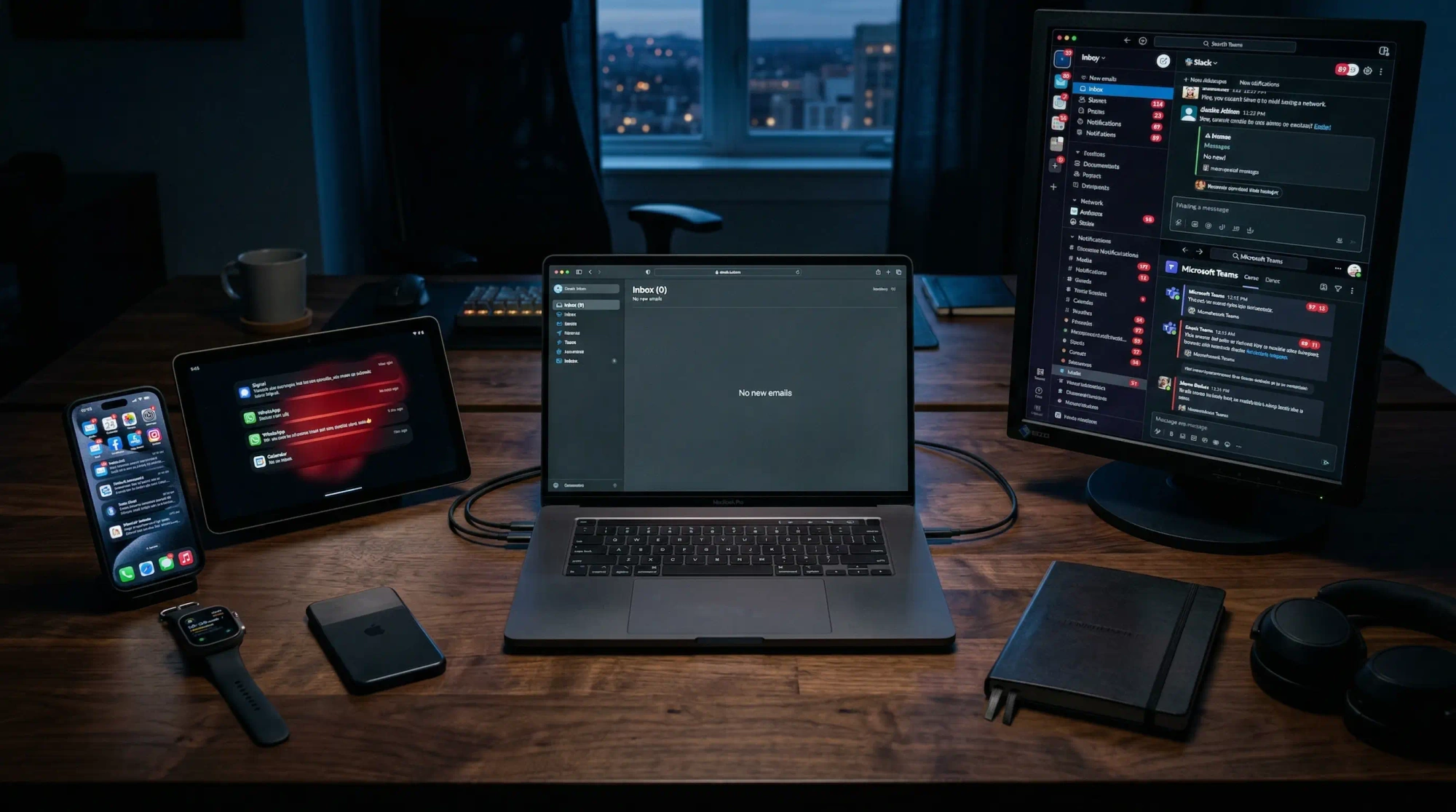
You finally hit inbox zero. For three glorious minutes, your email is clear. Then Slack pings. Teams lights up. Your phone buzzes with a calendar reminder. That empty inbox feeling? Gone before it started.
This is the problem Inbox Zero was never designed to solve.
Merlin Mann created Inbox Zero in 2006, when email was the only inbox that mattered. Today, the average knowledge worker juggles 270 messages daily across multiple channels—117 emails plus 153 Teams or Slack messages, before counting meetings, @mentions, and app notifications. The inbox has become inboxes, plural. And clearing one just reveals the flood in all the others.
Welcome to the era of Notification Zero.
If you only remember one thing: keep escalation paths for true urgency, batch everything else, and optimize for clarity instead of an empty inbox.
Inbox Zero was built for one inbox. Notification Zero responds to the reality of constant multi-channel interruption.
The Multi-Channel Reality
Microsoft's 2025 Work Trend Index analyzed trillions of productivity signals and found a staggering truth: the average employee faces an interruption every 2 minutes. That's 275 pings per day from meetings, emails, chats, and notifications. The modern workday isn't a series of focused blocks—it's "continuous partial attention" fragmented across dozens of inputs.
The channel breakdown reveals the scope of the problem:
- Email: 121 messages daily (cloudHQ, 2025)
- Teams/Slack: 153 direct messages daily (Microsoft)
- Meetings: 11.3 hours weekly (Fellow App)
- App notifications: 46 push notifications daily (RescueTime)
Chat now outpaces email as the biggest daily interruption source, which is exactly why inbox-only workflows break down.
Each channel promised to solve the others. Slack would kill email. Asana would organize Slack. Loom would replace meetings. Instead, they layered on top of each other, creating a "notification stack" where every tool demands attention and none respect the others.
The cruel irony: 70% of workers cite email as their top stressor, yet they're simultaneously drowning in chat messages, task updates, and meeting invites. Inbox Zero in one channel is meaningless when three others are overflowing.
Why Inbox Zero Falls Short
Inbox Zero's core philosophy—reduce the mental energy spent thinking about email—remains sound. But its methodology assumes a single-channel world that no longer exists.
The Five Actions Don't Scale
Inbox Zero proposes five actions for every email: Delete, Delegate, Respond, Defer, Do. Applied across 270 daily messages, this framework creates decision fatigue at industrial scale. Each micro-decision—Is this important? Who should handle it? Can I do it in two minutes?—drains cognitive resources needed for actual work.
Research from Spike's 2025 analysis confirms this: "Applying the 'delete, delegate, respond, defer, do' framework requires frequent decision-making which contributes to decision fatigue. The mental energy spent on routine choices actually makes it harder to focus on more complex tasks outside of email."
The Always-On Problem
Inbox Zero was designed for batch processing. Check email 2-3 times daily, process everything, close the app. But modern chat platforms have different social contracts. A Slack message feels urgent even when it isn't. The expectation of immediate response creates anxiety that Inbox Zero tactics can't address.
85% of employees receive work communications outside standard hours. The 9-to-5 processing window is obsolete when messages arrive at 10 PM and responses are expected by morning.
The Attention Residue Effect
Even successfully processed messages leave "attention residue"—the mental load from unfinished tasks that follows workers into their next activity. The Zeigarnik Effect, well-documented in psychology research, shows we remember uncompleted tasks better than completed ones. This means every message you've seen but haven't acted on carries cognitive weight, whether it's in your inbox or not.
Introducing Notification Zero
Notification Zero isn't about empty inboxes. It's about zero unintentional attention spent on communication channels. The goal is to reclaim mental clarity across all inputs—not just email, but everything that demands your focus.
The framework has seven principles:
1. Batch Processing Across Channels
Stop checking communication tools continuously. Establish 2-4 fixed review times daily to process notifications from email, chat, and task tools together. Block these sessions in your calendar. Use "Do Not Disturb" modes outside review periods.
The key insight: treat communication like appointments, not interruptions. When you know exactly when you'll process messages, the anxiety of missing something disappears.
2. Focus on Outcomes, Not Cleanliness
The obsession with empty inboxes is misplaced. A pristine email state means nothing if important work isn't getting done. Shift the metric from "inbox state" to "objective progress."
Start each day by identifying what moves the needle. Flag or move high-value messages into an "Action Required" folder. Archive or filter everything else automatically. The goal isn't zero messages—it's zero ambiguity about what matters.
3. Differentiate Workflows by Channel
Each communication channel serves different purposes and requires different handling. If you're still trying to solve everything with one inbox routine, start with our guides to email triage for shared inboxes and the 23-minute focus recovery tax—they explain why the same message handling rules fail once interruptions start stacking.
- Email: Batch process 2-3 times daily. Use filters to auto-sort newsletters and low-priority updates. Expect 24-hour response times. If your problem is still mainly email, start with our guides to how to achieve inbox zero, AI email writer workflows, and the commercial shortlist in Best AI Email Assistant in 2026.
- Slack/Teams: Mute low-priority channels. Enable notifications only for mentions and DMs. Check at scheduled intervals, not continuously.
- Task platforms: Review during daily standups or planning sessions. Don't let task updates interrupt deep work.
- Personal messaging: Treat as secondary. Respond only when necessary or during designated personal time.
This differentiation prevents the "always checking everything" trap that fragments attention.
4. Automate the Obvious
Manual triage is a coordination tax within the coordination tax. Use automation to handle repetitive decisions:
- Email filters: Route newsletters, reports, and low-priority updates to dedicated folders for later review
- Auto-responses: Set expectations with availability messages and response time estimates
- Smart notifications: Configure tools to alert only for critical mentions, muting the rest
- Email summaries: Use AI tools to generate digests instead of reading every message
Organizations that implement these strategies report 30-40% reduction in email-related productivity loss (Forrester).
5. Consolidate Into Summaries
Real-time notifications are the enemy of focus. Replace them with digest-based workflows:
- Enable daily digests in Asana, Trello, or Slack instead of real-time updates
- Use AI tools to summarize long email threads and newsletter content
- Batch process all summary updates in one scheduled session
AI summarization can reduce newsletter reading time by up to 80% while maintaining information retention. This isn't about missing information—it's about consuming it efficiently.
6. Use Unified Interfaces
Context switching between apps fragments attention and wastes time. Consolidate where possible:
- Adopt unified inbox tools that combine email, chat, and tasks in one interface; our AI email assistant comparison is the fastest way to see which products actually reduce context switching versus just relocating it
- Prioritize actionable inputs first using unified dashboards
- Reduce app-switching by processing communications from a single tool
The average knowledge worker switches between 10+ apps 32 times per day. Each switch carries a cognitive cost. Unified interfaces eliminate this overhead.
7. Set Boundaries and Communicate Them
Protecting deep work requires explicit boundaries:
- Define specific response windows (emails by noon, chat by 4 PM)
- Update status in Teams/Slack to signal focused work periods
- Use auto-replies to set expectations during deep work blocks
- Establish "no-meeting Wednesdays" or similar institutional guardrails
Only 6% of workers report never receiving after-hours work communications. The other 94% need boundaries to prevent the "infinite workday."
The Data: Why This Matters Now
The statistics behind Notification Zero aren't academic—they represent hours of your life consumed by coordination overhead:
- 28% of the workweek is spent on email alone (McKinsey)
- 57% of time goes to communication vs. 43% to creation (Microsoft)
- 23 minutes to fully regain focus after an interruption (UC Irvine)
- 40% productivity decrease from email overload (cloudHQ)
- 127 hours annually lost to focus recovery after interruptions
For a 45-year career, this adds up to nearly 3,000 working days spent managing communication instead of doing meaningful work. That's more than 8 years of your professional life.
The Psychology of Notification Zero
Notification Zero addresses deeper cognitive challenges that Inbox Zero misses:
Decision Fatigue
Every notification requires a decision: respond now, defer, ignore, delegate? By batching decisions and automating routine ones, Notification Zero preserves cognitive resources for important choices.
Attention Residue
Unfinished tasks linger in working memory, reducing focus on current work. Notification Zero's emphasis on clear outcomes—deciding what each message means and where it belongs—minimizes this residue.
Urgency Inflation
When every message feels urgent, nothing is. Notification Zero creates clear prioritization frameworks so workers can distinguish genuine emergencies from routine noise.
Notification Fatigue
The relentless stream of alerts drains energy and reduces productivity. By consolidating and filtering notifications, workers regain control over their attention.
Implementing Notification Zero: A 30-Day Plan
Transitioning to Notification Zero doesn't happen overnight. Here's a phased approach:
Week 1: Audit and Automate
- Document every communication channel you use (email, Slack, Teams, WhatsApp, etc.)
- Set up filters in email to auto-sort newsletters and low-priority messages
- Configure notification settings to only alert for mentions and DMs
- Create an "Action Required" folder/system for high-priority items
Week 2: Establish Batching
- Block 2-3 specific times daily for communication processing
- Close email/Slack outside these times (use Do Not Disturb)
- Process all channels in each batch session
- Track how much time you spend vs. continuous checking
Week 3: Consolidate and Summarize
- Enable daily digests for task platforms and newsletters
- Explore unified inbox tools that combine email and chat
- Use AI summaries for long threads and updates
- Reduce app-switching by choosing primary interfaces
Week 4: Set Boundaries
- Define response time expectations for each channel
- Communicate your availability windows to colleagues
- Establish at least one "no-meeting" half-day per week
- Evaluate: Are you spending more time on meaningful work?
The Role of AI in Notification Zero
AI is already reshaping how we manage notifications, and its role will only grow:
Current capabilities:
- Auto-sort messages by priority and intent
- Draft responses to routine inquiries
- Summarize long threads and newsletters
- Schedule optimal send times
Emerging capabilities:
- Predict which messages require immediate action based on context
- Automatically delegate tasks to appropriate team members
- Generate unified dashboards across email, chat, and task tools
- Proactively identify patterns (recurring queries, overdue items)
85% of companies will adopt AI email tools by end of 2025 (Clean Email). Early adopters report 75% reduction in time spent managing email. Notification Zero uses these tools not to add complexity, but to automate the coordination overhead that remains.
Common Objections (And Why They're Wrong)
"I need to be responsive for my job"
Responsiveness and batch processing aren't mutually exclusive. Set clear expectations about response times (e.g., "I check email at 10 AM, 1 PM, and 4 PM"). Most "urgent" messages aren't actually urgent—they just feel that way. For true emergencies, establish escalation channels (phone calls, specific Slack channels) that bypass normal workflows.
"My team uses Slack for real-time collaboration"
Real-time collaboration doesn't require continuous availability. Mute non-essential channels, enable notifications only for mentions, and check messages at scheduled intervals. Your team will adapt—especially when you model the behavior and explain the reasoning.
"I'll miss something important"
This is anxiety talking, not reality. Important messages have ways of finding you—repeating notifications, direct mentions, escalation paths. The cost of occasionally missing a non-urgent message is far lower than the cost of constant interruption. Trust your systems.
"I don't have time to set this up"
The initial investment pays dividends. Spending 2 hours configuring filters and boundaries saves 10+ hours weekly in reduced interruptions and faster processing. It's the highest-return productivity investment you can make.
Notification Zero FAQ
What is Notification Zero?
Notification Zero is a workflow for reducing unintentional attention across email, chat, task tools, and mobile alerts. Unlike Inbox Zero, it measures success by clarity and focused output rather than by whether a single inbox is empty.
Is Notification Zero the same as Inbox Zero?
No. Inbox Zero is email-centric. Notification Zero is multi-channel. It assumes your workday is fragmented across Slack, Teams, calendars, task apps, and phone notifications, then builds batching, filtering, and summarization around that reality.
How do you start Notification Zero without missing urgent messages?
Start by creating explicit escalation paths. Keep calls, VIP senders, and direct mentions available for true urgency, then batch everything else 2-4 times per day. That lets you protect focus without going dark.
What tools help you reach Notification Zero?
The best tools combine filters, summaries, prioritization, and a single place to review what matters. If you want the practical email layer first, read our guides on why your inbox is broken and how to achieve inbox zero with AI.
The Bottom Line
Inbox Zero was new for its time. But 2006 was a different world. Today, workers face 270+ daily messages across fragmented channels, each demanding attention and fragmenting focus. The solution isn't better inbox management—it's better notification management.
Notification Zero shifts the goal from empty inboxes to mental clarity. It acknowledges the multi-channel reality and provides frameworks for managing it. It uses AI and automation to reduce coordination overhead. And it creates boundaries that protect the deep work where real value is created.
The 57% coordination tax (Microsoft) isn't inevitable. It's a choice we make through our tools, habits, and expectations. Notification Zero offers a different choice: intentional communication processing that serves your work, rather than fragmenting it.
Your inbox doesn't need to be zero. But your unintentional attention to notifications? That should be.
Inbox Ninja helps knowledge workers achieve Notification Zero by consolidating email management, prioritizing messages with AI, and surfacing what actually matters. Reclaim 5+ hours weekly for meaningful work.
Related Articles
The Coordination Tax: Why You're Spending 57% of Your Week on 'Work About Work'
Research reveals knowledge workers spend 57% of their time coordinating instead of creating. Here's the real cost and how to reclaim your focus.
Why Your Inbox Is Broken (And Why Inbox Zero Won't Fix It)
Email was designed in 1971. SMTP was standardized in 1982. The interface you used this morning is architecturally identical to both. Here's why no amount of discipline will fix what's fundamentally a design failure.
The Email Triage System Professionals Use to Handle 200+ Emails a Day
A five-step email triage system for executives, VPs, and senior ICs handling 200+ emails a day. Concrete buckets, a 30-minute morning routine, and where AI fits without taking the judgment out of your hands.
Ready to hit inbox zero?
Inbox Ninja triages your email, summarizes threads, and drafts replies in your voice.
Open Inbox Ninja